 Jun, 1 2026
Imagine spending weeks creating a unique digital artwork, minting it as an NFT, and selling it for a significant sum. Then, three years later, you click the link in your wallet to view your masterpiece, only to see a broken image icon or a "404 Not Found" error. The file is gone. This isn't a hypothetical nightmare; it’s what happened to nearly one-third of NFTs minted on Ethereum during the 2021 boom, according to a Stanford University study titled The Impermanence of NFTs. The culprit? Relying on centralized servers that can shut down, get hacked, or simply delete old data.
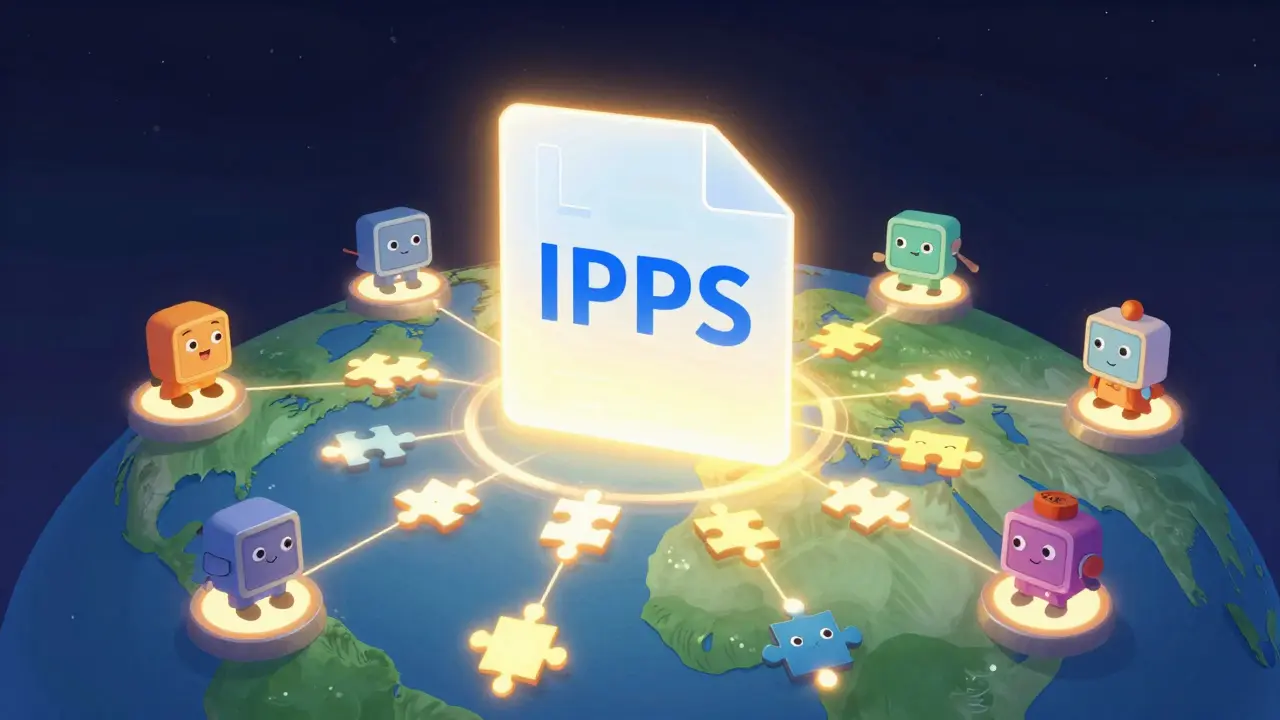
This is where IPFS (InterPlanetary File System) comes in. Unlike traditional web hosting, IPFS doesn't store files on a single server owned by a company like Amazon or Google. Instead, it distributes pieces of your file across a global network of computers. For NFT creators and collectors, understanding how IPFS works isn't just technical trivia-it's the difference between owning a permanent digital asset and holding a worthless token pointing to empty space.
How IPFS Actually Works for NFTs
To understand why IPFS is the standard for NFT metadata storage, you first need to grasp how it differs from the regular internet. When you visit a website today, your browser asks a specific server at a specific address (like `www.example.com`) for data. If that server goes down, the site disappears. This is called location-based addressing.
IPFS uses content-based addressing. When you upload a file to IPFS, the system calculates a unique cryptographic fingerprint for that exact file, known as a Content Identifier (CID). This CID looks something like `ipfs/QmXoypizjW3WknFiJnKLwHCnL72vedxjQkDDP1mXWo6uco`. If even a single pixel in your image changes, the CID changes completely. This means you can verify that the file hasn't been tampered with. When someone wants to view your NFT, their wallet doesn't ask a central server for the image; it asks the IPFS network, "Does anyone have the file with this specific fingerprint?" Any node in the network that has stored that file can serve it back.
For NFTs, this is crucial because the smart contract on the blockchain only stores the CID, not the actual image or video. Storing large media files directly on blockchains like Ethereum is prohibitively expensive-costing anywhere from $50 to $100 per megabyte. By storing the heavy assets off-chain on IPFS and keeping the reference on-chain, you get the best of both worlds: blockchain security for ownership and efficient storage for media.
The Critical Role of Pinning Services
Here is the catch that trips up many beginners: IPFS nodes are voluntary. A computer joining the IPFS network might store your file for a week, then decide it needs that hard drive space for something else. If no other node has a copy, your file becomes inaccessible. This process is called garbage collection.
To prevent this, you need pinning. Pinning tells a node, "Keep this file forever, do not delete it." Since most users don't want to run their own dedicated servers 24/7, they rely on third-party pinning services. These services act as reliable anchors in the IPFS ocean, ensuring your NFT's metadata and images stay online.
| Service | Best For | Pricing Model | Key Feature |
|---|---|---|---|
| Pinata | Professional developers & teams | $19/month for 1TB | Robust API and analytics dashboard |
| NFT.Storage | Individual creators & small projects | Free tier (up to 5GB) | Automated redundancy via Filecoin |
| Filebase | High-performance needs | Pay-as-you-go | S3-compatible interface for easy migration |
According to a 2023 report by DappRadar, IPFS dominates the market with approximately 78% share for NFT metadata storage. However, the Stanford study noted that NFTs using IPFS with proper pinning had a 99.8% persistence rate over 18 months, compared to just 67.3% for those relying on centralized cloud storage. The key takeaway? Don't just upload to IPFS; ensure it is pinned by a reputable service.
Step-by-Step: Storing Your NFT Metadata on IPFS
If you are ready to mint an NFT with permanent storage, here is the practical workflow. This process applies whether you are using a marketplace like OpenSea or building your own dApp.
- Prepare Your Metadata: Create a JSON file for each NFT. This file should include fields like `name`, `description`, `image` (the URL to your art), and `attributes` (traits like rarity). Ensure the `image` field points to an IPFS CID, not a local path.
- Upload Assets: Use a tool like Pinata or NFT.Storage to upload your images and JSON files. You will receive a CID for each file.
- Construct the Token URI: Combine the base IPFS gateway URL with your CID. For example: `ipfs://QmYourCidHere/metadata.json`. Some platforms allow you to enter the raw CID, which they handle automatically.
- Mint the NFT: Deploy your smart contract or use a minting platform. Input the Token URI into the contract's `tokenURI` function. This links the on-chain token to your off-chain IPFS data.
- Verify Persistence: After minting, check your pinning service dashboard to confirm the files are active. Consider using multiple pinning services for critical, high-value collections to mitigate risk.
Developers often use libraries like Web3.js or Ethers.js to automate this process. For non-coders, platforms like Foundation or Zora abstract these steps, but it is still vital to know that your data is being pinned securely.
Alternatives to IPFS: Arweave and Filecoin
While IPFS is the current leader, it is not the only player in decentralized storage. Understanding the alternatives helps you choose the right tool for your specific needs.
Arweave operates on a "pay once, store forever" model. It uses a novel access protocol that funds storage in perpetuity through an endowment. This appeals to artists who want absolute permanence without worrying about monthly subscriptions or pinning failures. However, the upfront cost can be higher for large datasets, and the ecosystem is smaller than IPFS's.
Filecoin is a decentralized storage marketplace. You pay providers in FIL tokens to store your data. Filecoin often works alongside IPFS; in fact, NFT.Storage uses Filecoin to provide cryptographic proof that your pinned data is actually stored. Filecoin adds a layer of economic incentive to the IPFS network, making it more resilient against node churn.
Centralized solutions like AWS S3 are still used by some projects due to ease of use and speed. But as the Stanford study highlighted, they introduce single points of failure. If AWS decides to ban crypto-related content or if your account is compromised, your NFTs lose their soul. Decentralization is not just a buzzword; it is insurance.
Common Pitfalls and How to Avoid Them
Even experienced developers make mistakes when handling IPFS. Here are the most common issues and how to fix them.
- Gateway Dependence: Many apps rely on public gateways like `ipfs.io` or `cloudflare-ipfs.com` to display images. During high traffic, these gateways can throttle or block requests. Solution: Encourage wallets to connect directly to IPFS nodes, or use multiple gateway providers in your code.
- CID Version Confusion: IPFS has two CID versions: v0 (starting with Qm) and v1 (starting with bafy). Older tools may not support v1. Solution: Always specify the CID version when generating hashes, and test compatibility with your target wallets and marketplaces.
- Mutable Data Errors: IPFS is immutable. You cannot update a file without changing its CID. If you need to change an NFT's description after minting, you must update the smart contract to point to a new CID. Solution: Plan your metadata structure carefully before minting. Use IPNS (InterPlanetary Naming System) if you absolutely need mutable references, though this adds complexity.
- Privacy Misconceptions: Everything on IPFS is public by default. Do not store sensitive personal information or private keys on IPFS. Solution: Only store public-facing NFT assets and metadata. Keep private data encrypted and off-chain.
As Vitalik Buterin, co-founder of Ethereum, noted in his blog post "On NFT Standards," storing metadata on IPFS is currently the most practical solution despite its limitations. The technology is maturing rapidly, with improvements like IPFS Cluster v0.16.0 reducing content loss by 37% through better replication algorithms.
Is IPFS free to use?
The IPFS protocol itself is open-source and free. However, to ensure your files remain available long-term, you typically need to use a pinning service. Services like NFT.Storage offer generous free tiers (up to 5GB), while professional services like Pinata charge monthly fees based on storage volume and bandwidth. Self-hosting a node is also free but requires technical expertise and hardware costs.
What happens if I stop paying for my pinning service?
If you stop paying, the service will unpinned your files. If no other nodes in the IPFS network are storing copies of your data, your NFT's images and metadata will become inaccessible, resulting in broken links on marketplaces and wallets. To prevent this, always maintain backups on multiple pinning services or download your original files locally.
Can I edit my NFT metadata after uploading to IPFS?
No, IPFS is immutable. Once a file is uploaded and hashed, it cannot be changed. If you need to update metadata, you must create a new JSON file, upload it to generate a new CID, and then update your smart contract to point to this new CID. This is why careful planning before minting is essential.
Why is IPFS better than AWS S3 for NFTs?
AWS S3 is centralized, meaning Amazon controls the data and can take it down for any reason, including policy violations or bankruptcy. IPFS is decentralized, distributing data across a global network. This makes NFTs resistant to censorship and single points of failure, aligning with the core values of blockchain technology. Studies show significantly higher persistence rates for properly pinned IPFS content compared to centralized storage.
Do all NFT marketplaces support IPFS?
Most major marketplaces like OpenSea, Rarible, and Foundation support IPFS natively. They often provide tools to easily upload metadata to IPFS during the minting process. However, it is always good practice to verify the marketplace's documentation, as some smaller or newer platforms may still rely on centralized storage solutions.
mark valmart
June 3, 2026 AT 03:49Man, this hits home hard. I actually bought a few 'rare' apes back in the day just for the fun of it and didn't think twice about where the image was hosted. Now half of them are just broken links or pointing to some weird placeholder image. It feels like getting scammed even though I paid full price. The part about pinning services is super helpful though. I had no idea that IPFS wasn't magic by itself and needed these anchors. Thanks for breaking it down without making me feel stupid for not knowing.
Crystal Davis
June 4, 2026 AT 18:07You're oversimplifying the technical architecture here. While IPFS is popular, calling it the 'standard' ignores the latency issues inherent in content-addressed storage compared to optimized CDN networks. Most casual users don't care about decentralization; they care about load times. If your NFT takes 3 seconds to render because the network has to fetch shards from three different continents, you've lost the user experience battle. Also, relying on Pinata or NFT.Storage isn't truly decentralized if those companies go bankrupt or change their TOS. You're trading one central point of failure for another. Real permanence requires running your own nodes or using Filecoin with proper economic incentives, which most creators are too cheap or lazy to do.
Christina Pearce
June 6, 2026 AT 03:12I really appreciate how clear this explanation is! I’ve been trying to wrap my head around CIDs versus URLs for weeks now, and the fingerprint analogy finally clicked for me. It makes so much sense why changing a single pixel changes the whole ID. I’m planning to mint my first collection next month, and I was going to use a free tier service. After reading this, I think I’ll look into splitting my pins between two providers just to be safe. Does anyone have experience with how seamless the migration is if one service goes down?
Barclay Chantel
June 7, 2026 AT 13:07Ah, the eternal struggle of digital ownership. How quaint. We pretend we own anything when our access is mediated by a browser extension and a server farm in Nevada. This article reads like a manual for people who believe blockchain solves human laziness. It doesn’t. It just adds more steps to fail at. The pretension of thinking your JPEG will outlast civilization because it’s hashed on a distributed ledger is amusingly naive. Meanwhile, the energy cost of maintaining these nodes could power small villages. But sure, let’s talk about metadata persistence while ignoring the environmental and social decay surrounding this entire ecosystem. Truly inspiring.
Miss Masquer
June 8, 2026 AT 14:25This is such a vital conversation to be having right now, especially as we see more traditional artists entering the space and realizing that digital provenance is far more complex than simply clicking a button on a marketplace. I have found that many creators from smaller countries often lack the bandwidth to monitor their pinning statuses, leading to unfortunate losses of cultural heritage pieces that were meant to be preserved forever. The distinction between IPFS as a protocol and the necessity of pinning services is something that needs to be drilled into every beginner's mind immediately. It reminds me of how oral traditions require active participants to keep stories alive, whereas digital files require active nodes. Perhaps we should view our role as collectors not just as owners but as stewards of these digital artifacts, ensuring that the network remains robust enough to hold our collective history. It is a beautiful yet fragile system.
Joshua Alcover
June 10, 2026 AT 06:18The paradigm shift necessitated by InterPlanetary File System architectures demands a rigorous re-evaluation of sovereign data control mechanisms within the decentralized autonomous organization framework. One must consider the geopolitical implications of relying on US-based pinning services when attempting to achieve true censorship resistance. The reliance on third-party intermediaries such as Pinata introduces a systemic vulnerability that undermines the very ethos of cryptographic verification. Furthermore, the semantic ambiguity surrounding Content Identifier versioning creates interoperability friction that stifles innovation. We must advocate for a return to first principles: self-sovereignty through node operation rather than delegated trust models. The current trajectory is unsustainable without a fundamental restructuring of incentive layers.
Diana Morris
June 10, 2026 AT 19:57stop overthinking it just pin your stuff already. i see people complaining about costs but its cheaper than losing your art entirely. get on filecoin or arweave if you want to sleep well at night. dont let your creation rot in a centralized cloud bucket. take action now
Dianne Wright
June 12, 2026 AT 08:53i cant believe people still fall for this hype cycle. its all just pixels man. why do you care if the link breaks? the value was never in the image anyway. its a ponzi scheme wrapped in tech jargon. i wasted so much time reading this instead of doing something productive. typical internet distraction. you guys are delusional if you think this matters in five years
kamal ifrani
June 13, 2026 AT 16:53Oh wow, another basic tutorial on IPFS. Did nobody read the whitepapers? This is kindergarten level stuff. The fact that you need to explain what a CID is shows how diluted the community has become. Everyone wants the gains but none of you want to understand the underlying infrastructure. It’s pathetic. And don’t get me started on the ‘Stanford study’ citation-corporate shilling disguised as academic research. Wake up sheeple. Your NFTs are worthless regardless of where they’re stored because the market is manipulated by insiders. But sure, keep arguing about pinning services while the whales dump on you.
saradee dee
June 15, 2026 AT 07:41Wow, that last comment was pretty harsh! Let's try to keep things friendly here everyone. I actually found this post really useful because I was confused about the difference between storing on-chain vs off-chain. The table comparing Pinata and NFT.Storage was super helpful for me to decide where to start. I’m a bit scared of messing up my first mint, so knowing that I can use multiple pinning services gives me peace of mind. Thanks for sharing this info!